
Everything it does, and nothing it doesn’t
Weight Tracker is deliberately small. It does a few things all day long, so you don’t have to remember to.
Why it’s built this way
Most apps wait for you to open them. On a busy workday, you won’t.
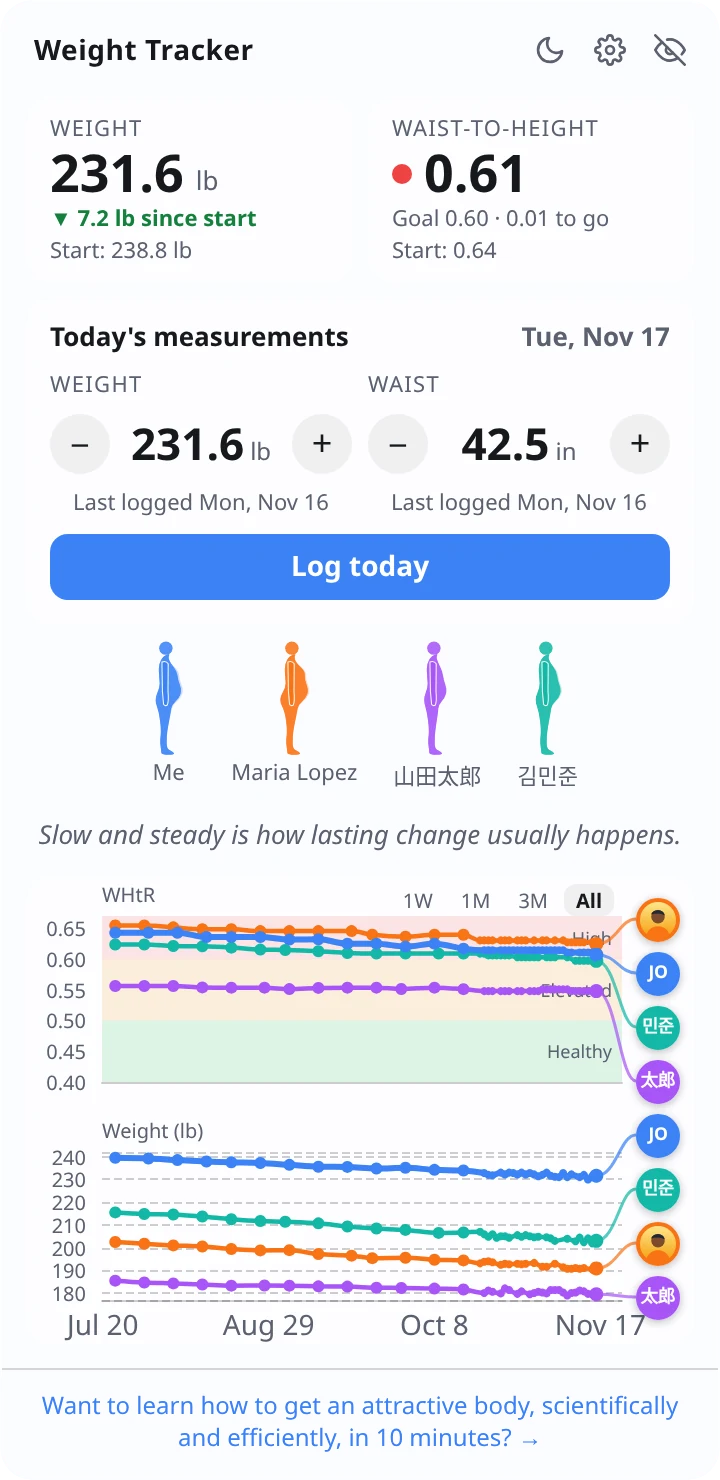
So Weight Tracker comes to you. It starts with your computer, stays on your desktop and keeps your progress in view without a single click. Everything below follows from that one idea.
Always there
A panel on your desktop
It starts when your computer starts. Drag it anywhere and it remembers where you left it.
- On the desktop: sits behind your apps and shows whenever you see the desktop.
- Always on top: floats above everything, if you’d rather see it all the time.
- Hide it in one keystroke for meetings and screen sharing: Ctrl+Alt+Space (on a Mac, Control+Option+Space), or the tray icon.
Logging
A few clicks a day, no typing
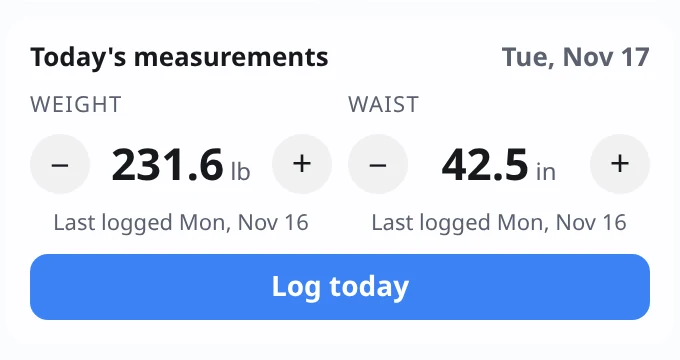
Yesterday’s weight is already filled in. Nudge it with + and − or the mouse wheel, then press Log today.
- Your waist is weekly. After 7 days the panel gently reminds you.
- If a number jumps more than usual, it asks you to double-check.
- Logged twice today? The newer entry replaces the earlier one.
Charts
Two charts, one timeline, everyone together
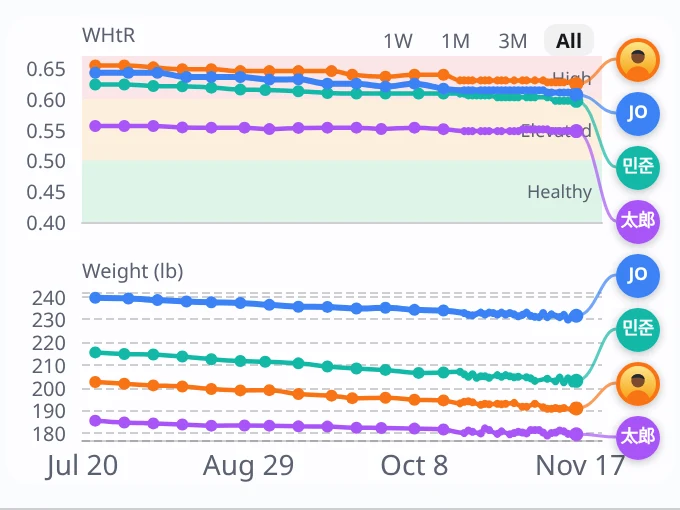
Waist-to-height on top, weight below, sharing the same dates. Your line and your partners’ lines sit side by side, each with a photo or initials at the end.
- Color bands show High, Elevated and Healthy at a glance.
- Starts with a week and grows to fit your whole history. Zoom with 1W, 1M, 3M, 1Y or All.
- Hover over any point to see the date, the person, and their numbers.
Body figures
See the shape of your progress
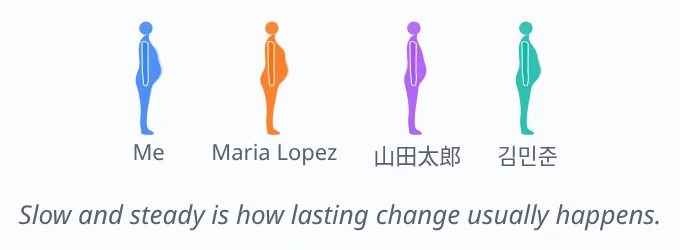
A simple side view of you and each partner, drawn from your waist-to-height ratio. A pale outline behind each figure shows where that person started.
Underneath, a short daily tip, a new one every day, sometimes with a link to learn more.
Partners
Better together
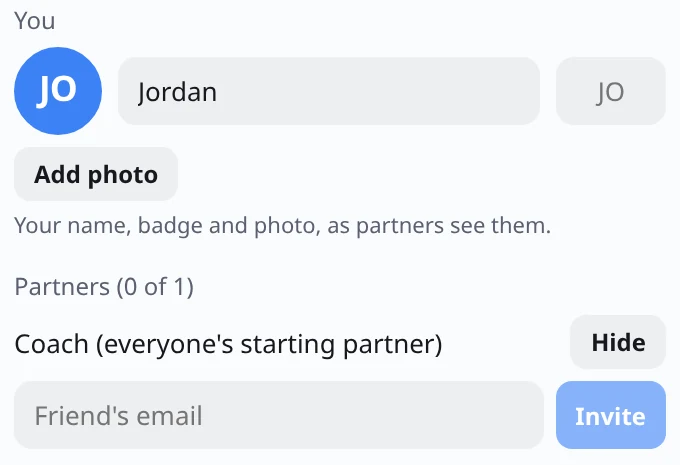
Invite a friend by email. Nothing is shared until they accept, and either of you can stop sharing at any time.
- Everyone starts with a starting partner from the 05fit team, so nobody starts alone. You can hide them.
- Free accounts have 1 partner place; Supporters get up to 3.
- Pick your name, a two-letter badge or a photo, so partners can spot your line.
Made for work life
The small things that make it easy to keep
Works offline
Log on a plane or a train. It catches up when you’re back online.
Light and dark
Follows your computer, or pick one.
Text size
From 90% to 150%, and the panel grows to fit.
U.S. or metric
Pounds and inches, or kilograms and centimeters. Switch any time.
9 languages
English, Spanish, German, French, Portuguese (Brazil), Italian, Japanese, and Chinese (Simplified and Traditional).
Your data, your call
Download everything, or delete your account, from Settings → Privacy.
Weight Tracker offers general wellness information, not medical advice. If you have health concerns, talk to your doctor.